
Flux 2 Max vs GPT Image 1.5
The two flagship stills. Flux 2 Max for texture and light, GPT Image 1.5 for prompts that read like instructions.
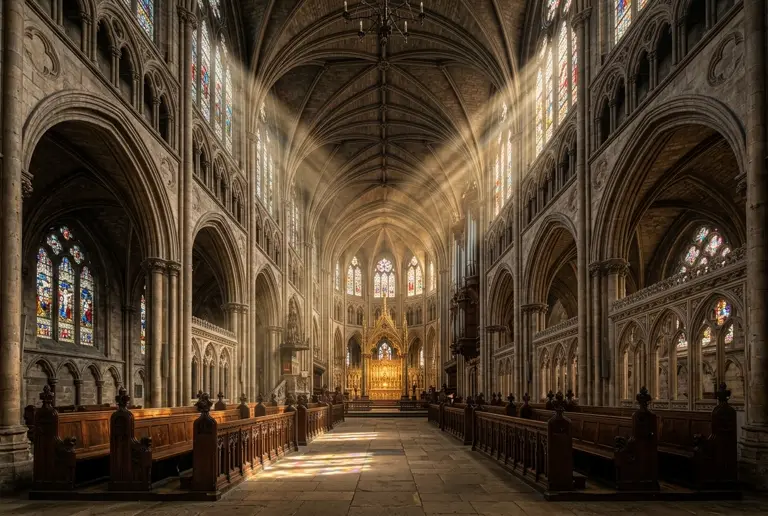

Side by side
What the catalogue says.
Running both once costs 40 credits in total.
| Spec | Flux 2 Max | GPT Image 1.5 |
|---|---|---|
| Cost per render | 20 credits a run | 20 credits a run |
| Input | Text prompt only | Text prompt only |
| Resolutions | Provider default | Provider default |
| Availability | Paid pool — full concurrency | Paid pool — full concurrency |
| Public renders on Ideovex | 1 | 1 |
How to choose
What actually separates them.
- Both cost 20 credits a render, so the choice is purely about the output.
- Neither is better on paper. Run the two side by side on your own prompt and keep the one that reads right.
FAQ
Flux 2 Max vs GPT Image 1.5, asked and answered.
Neither, in the abstract — they differ by prompt. Flux 2 Max costs 20 credits a render and GPT Image 1.5 costs 20 credits a render. Ideovex exists so you do not have to take a reviewer's word for it: send one prompt to both, at the same frame size, and judge the two frames that come back.
40 credits for the pair — 20 credits for Flux 2 Max and 20 credits for GPT Image 1.5. The exact figure is on the button before you commit, and a failed side is refunded.
Yes — both sides are real renders on real compute. A free Ideovex account with daily credits is enough to start, with no card.
Yes, and most people do. Draft on the cheaper model, then re-run the brief you like on the other one — both sit in the same studio, on the same credit balance, and a result from either can be sent onward to upscale or animate.
Settle it on your own prompt
Free account, daily credits, no card. Send one brief to Flux 2 Max and GPT Image 1.5 and keep the frame that wins.